Get Notified when the Software is Updated

Ashampoo PDF Pro is a powerful and all-in-one solution for managing, editing, and securing PDF files. Considered one of the best PDF editors for professionals on Windows, it allows users to effortlessly create, convert, edit, merge, and protect their documents. With Ashampoo PDF Pro, files are perfectly formatted and readable across any device, while built-in encryption ensures sensitive content remains secure. Working with PDFs becomes simple and familiar, allowing users to edit text, insert images, and tweak layouts effortlessly.
Beyond basic PDF editing, Ashampoo PDF Pro provides lightning-fast conversion to Word and Excel formats. Users can efficiently repurpose content without disrupting formatting, thanks to this workflow-enhancing feature. Whether it’s editing text, rearranging pages, or customizing document layouts, the software makes complex PDF tasks simple and efficient.
Merging multiple documents into a single PDF is straightforward, helping users maintain organized and professional files. The included virtual PDF printer driver enables instant PDF creation from any print-enabled application, turning reports, emails, or web pages into secure, shareable PDFs in seconds.
Ashampoo PDF Pro combines speed, versatility, and security, making it ideal for both personal and professional use. Its user-friendly interface and robust features ensure seamless handling of PDFs, whether you are editing, converting, or securing critical documents.
Convert documents into Word, Excel, or other formats
Select “Print” in your desired application and choose “Ashampoo PDF” as the printer. The software generates high-quality PDFs from any print-enabled Windows program. If needed, Ashampoo PDF Pro can automatically downscale images, such as for online publication.
Automatic text recognition (OCR)
Ashampoo PDF Pro includes an advanced OCR engine that converts scanned characters into editable text. Additionally, the program enables seamless file exchanges with Microsoft Word.
Create PDFs with ease.
This program creates high-quality PDFs from any print-enabled Windows application. Select “Print” in your chosen application and choose “Ashampoo PDF” as the printer. It can automatically downscale images for online publication if needed.
Document protection with 128-bit AES encryption
Strong AES encryption safeguards your PDFs from unauthorized actions such as opening, editing, printing, or text extraction. You control what recipients can and cannot do with your files. Additionally, you can permanently and irreversibly redact sensitive information.
Ashampoo PDF Pro 4 Features:
- Navigate between PDFs like a web browser–with convenient tabs
- Powerful spell checker with brand-new dictionaries
- New hyphenation support for perfectly formatted texts
- Maximum clarity with optional full-screen mode
- Display PDF pages side-by-side for quick comparison
- Copy PDF snapshots directly to the clipboard
- Enlarge thumbnails for a better document overview
- Built-in spell checker IMPROVED
- Use auto-hyphenation IMPROVED
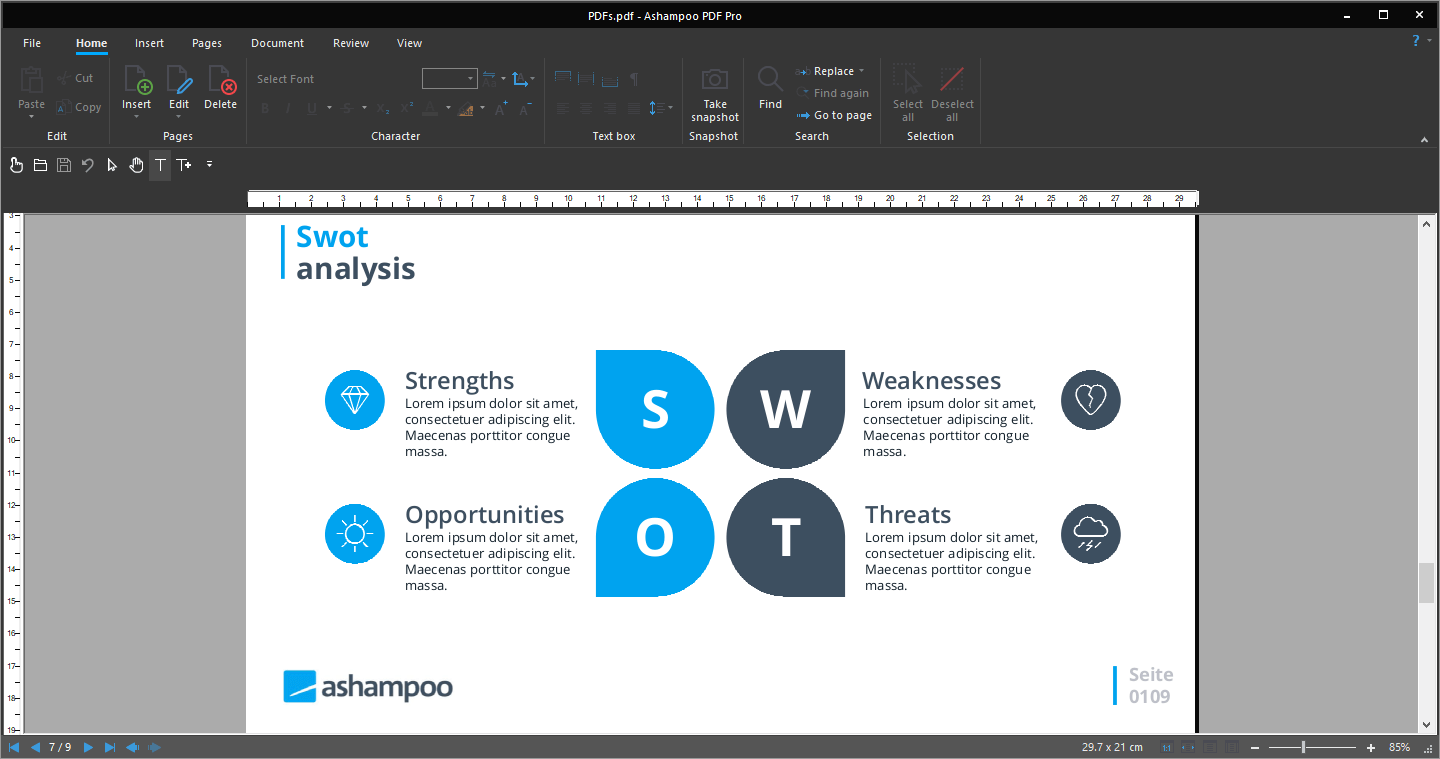
- Handy, elegant ribbon-based interface
- Eye-friendly dark mode for increased productivity
- Customizable access bar with all important functions
- Seamless document zoom
- Fast and precise document comparisons
- Fast one-click switching between work modes
- PDF/A for long-term digital document preservation
- Digital signatures for more trustworthy PDFs
- Create and edit interactive forms
- Find and replace colors throughout documents
- Legally valid Bates numbering
- Split up PDFs into smaller documents with a custom number of pages
- Supports PDF 1.4 for backward compatibility
- Drag and drop to merge PDF documents into a single file
- Create PDF portfolios
- Drag and drop images to create entire photo albums
- Automatic text wrapping
- Track document changes
- Insert pages
- Crop pages
- Apply page numbering
- Sort, delete, and rotate pages
- Use headers and footers
- Apply watermarks
- Crop/Mask embedded images
- Find and replace fonts
- Find and replace across documents
- Search hyperlinks
Ashampoo PDF – Pros & Cons
| Pros | Cons |
|---|---|
| ✓ Provides an all-in-one PDF workflow for creating, editing, converting, merging, and securing documents. | ✗ The extensive editing, conversion, OCR, security, form, comparison, and document-management features can make the application more complex than a basic PDF reader. |
| ✓ Includes OCR for converting scanned documents into editable text and supports exchanging content with Microsoft Word. | ✗ Its PDF creation workflow relies on a virtual printer, so creating PDFs from other applications requires those applications to support printing. |
| ✓ Protects PDFs with 128-bit AES encryption and lets users control permissions for opening, editing, printing, and text extraction, with permanent redaction for sensitive information. | ✗ The documented system requirements are limited to 64-bit Windows 7, 8, 8.1, 10, and 11, with no macOS or Linux version listed. |
| ✓ Offers extensive document-management tools, including PDF/A preservation, digital signatures, interactive forms, Bates numbering, page organization, watermarks, and document comparison. | ✗ The PDF Pro editions are provided as 30-day trials, while the separate Ashampoo PDF edition is listed as 100% free, so the Pro feature set is not presented as permanently free. |
| ✓ Ashampoo PDF Version 5 adds 64-bit support, flexible tab or window layouts, master-password PDF editing, book-style viewing, and automatic document comparison. | ✗ The provided download for PDF Pro 5 is a substantial application package, and the extensive feature set may be more than necessary for users who only need basic PDF viewing or simple annotations. |
Frequently Asked Questions
Can Ashampoo PDF Pro edit PDF documents?
Yes. Ashampoo PDF Pro lets you edit PDF text, insert images, adjust layouts, rearrange pages, and perform other document-editing tasks. It also supports features such as spell checking, automatic hyphenation, page cropping, headers, footers, watermarks, and find-and-replace functions.
Does Ashampoo PDF Pro convert PDF files to Word and Excel?
Yes. Ashampoo PDF Pro can convert PDF content to Microsoft Word and Excel formats. Its OCR engine can also recognize text in scanned documents and turn it into editable text for further editing or exchange with Word.
Can Ashampoo PDF Pro protect PDF files with encryption?
Yes. Ashampoo PDF Pro uses 128-bit AES encryption to protect PDF documents. You can control actions such as opening, editing, printing, and text extraction, and the software also supports permanent redaction of sensitive information.
Is Ashampoo PDF Pro better than Adobe Acrobat?
They provide different PDF workflows. Ashampoo PDF Pro combines PDF editing, OCR, conversion, encryption, document comparison, forms, digital signatures, page management, and PDF/A support in a Windows application. Adobe Acrobat provides its own broader PDF creation, editing, collaboration, and document-management features.
What’s New in Ashampoo PDF Pro 5:
- 64-bit support for maximum performance, even with large documents
- Flexible view options with tabs, separate windows, or shared workspace
- Edit PDFs protected with a master password
- Book layout for realistic double-page viewing
- Page-by-page scrolling for precise navigation
- Automatic document comparison via drag and drop
- Auto-applies the most recently used font and size
- Open new files as tabs
What’s New in Ashampoo PDF Pro 4:
- NEW! Navigate between PDFs like a web browser–with convenient tabs
- NEW! Powerful spell checker with brand-new dictionaries
- NEW! New hyphenation support for perfectly formatted texts
- NEW! Maximum clarity with optional full-screen mode
- NEW! Display PDF pages side-by-side for quick comparison
- NEW! Copy PDF snapshots directly to the clipboard
- NEW! Enlarge thumbnails for a better document overview
- IMPROVED! Built-in spell checker
- IMPROVED! Use auto-hyphenation
Official Homepage – https://www.ashampoo.com
Supported Operating Systems: Windows 7, 8, 8.1, 10, 11 (64-bit).