

Get Notified when the Software is Updated

Ashampoo WinOptimizer 2026 helps keep Windows fast, clean, and reliable with just a few clicks. It includes 19 powerful modules designed to analyze, optimize, and personalize Windows systems. Built on the new technical foundation of WinOptimizer 28, all modules benefit from improved performance, higher stability, and modern system-level enhancements.
Ashampoo WinOptimizer 2026 includes a built-in Internet Cleaner that now runs about 25–50 percent faster, works more efficiently, and displays detailed cleanup results through a redesigned statistics bar. The rebuilt System Information 2 provides more accurate hardware data across expanded categories and a clearer, well-structured layout for better system transparency.
The Privacy Manager introduces several enhancements that give you more precise control over Windows data collection and transmission. With a single click, users can restore stronger privacy settings while retaining access to all essential features. Alongside this, the full set of optimization, analysis, file management, and customization tools remains available, all presented in a modern, intuitive interface that aligns perfectly with today’s Windows design.
Ashampoo WinOptimizer 2026 Features:
General
- Enhanced program performance through better memory management on 64-bit systems
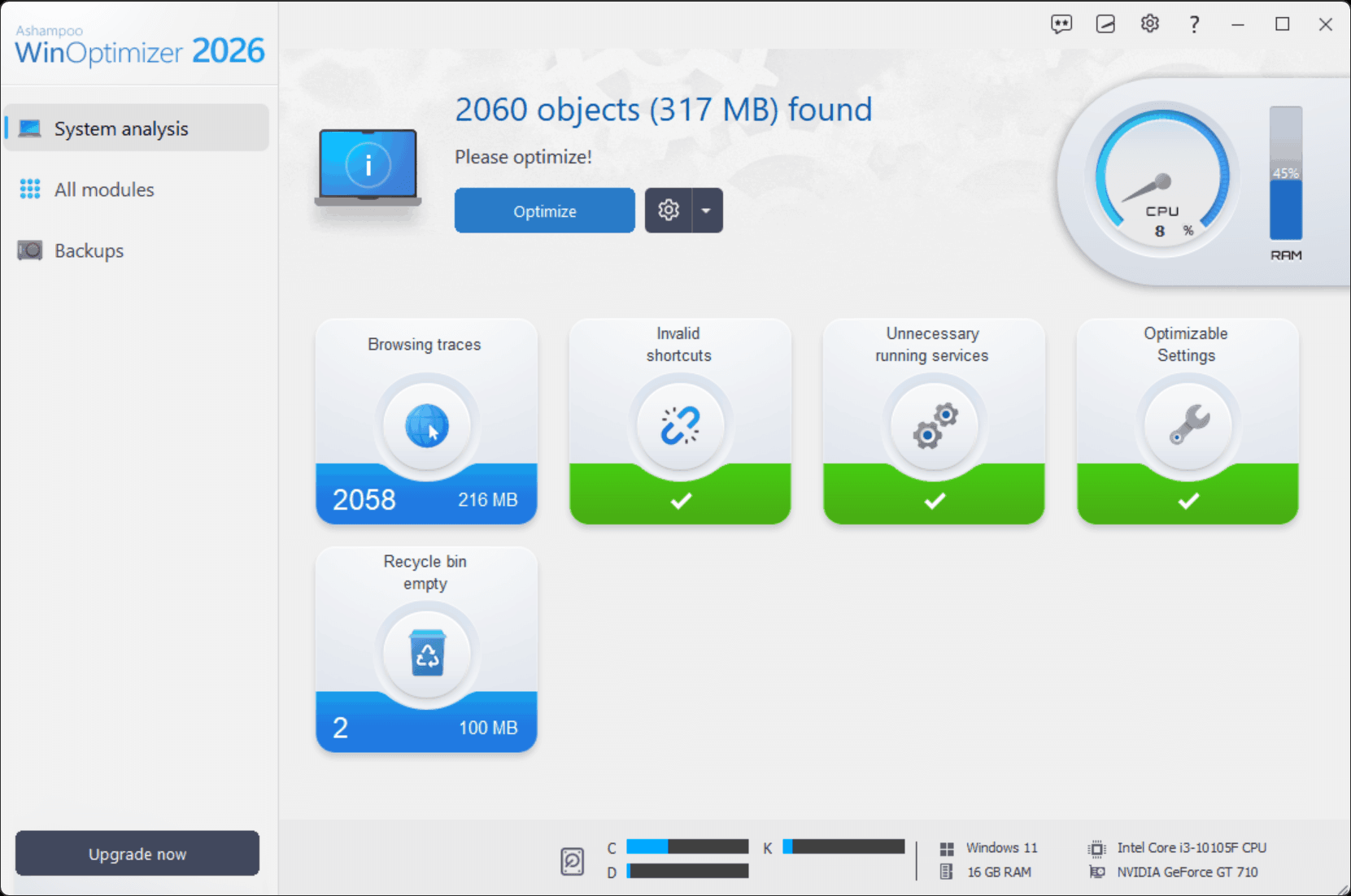
- Updated start page with CPU speedometer and up-to-date hardware details
- Access to Windows license key
- Completely intuitive user interface
- Interactive start screens with problem analysis
- Conserve energy efficiently and preserve battery life
- Manage system policies easily with User Rights Manager
- Manage system restore points comfortably with System Restore Manager
- Save and restore all changes with Backup Manager
System maintenance
- Brand new cleaner profiles with support for the latest Windows and browser versions
- Cutting-edge cleaner modules–now up to 50% faster
- Convenient cookie manager for “safe” cookies
- Detect file system and file structure issues
- Manage Opera plugins with ease
- New filter settings to narrow down search results
File tools
- New confirmation dialog in File Wiper, plus deletion method selection
- Redeveloped for enhanced speed
- Render deleted files unrecoverable with File Wiper
- Support for exFAT partitions
- Recover accidentally deleted files with Undeleter
- Safely and securely encrypt and split up a file with File Manipulator
- Securely delete files with File Wiper
- Permanently delete files from the Recycle Bin
- Find invalid program shortcuts with Link Checker
- Erase free disk space by overwriting it to ensure file remnants are permanently removed.
- Securely encrypt and decrypt files with File Encrypter and Decrypter
- Split up huge files with File Splitter
System analysis
- System Information 2 with expanded data and improved navigation
- Get detailed system information
- More details about running services
- New and dramatically faster DiskSpace Explorer
- Innovative hard disk benchmark with detailed results
- Manage installed fonts with Font Manager
- View disk space usage and find large files with DiskSpace Explorer
- Benchmark system with System Benchmark
- Compare benchmark results online
Improve system performance
- Uninstall Manager 2 with a new look & feel
- Process manager with tree view
- Optimize Internet connections with Internet Tuner
- Disable unnecessary system services for more performance with Service Manager
Customize Windows
- New tweaks for enhanced privacy in the Privacy Manager
- Adjust file associations with File Associator
Ashampoo WinOptimizer 2026 – Pros & Cons
| Pros | Cons |
|---|---|
| ✓ Combines system cleaning, optimization, privacy controls, file management, analysis, and Windows customization in one suite. | ✗ Support is limited to Windows 10 and Windows 11, with no macOS or Linux version documented. |
| ✓ Includes multiple system maintenance tools, including cleaner modules, cookie management, file-system checks, and filter options. | ✗ The large collection of system-level tools can require care because several features can modify services, policies, restore settings, or file-deletion behavior. |
| ✓ Provides secure file-management features such as file shredding, encryption, file splitting, free-space wiping, and deleted-file recovery. | ✗ File Wiper and free-space wiping perform permanent deletion operations, making them unsuitable for files that may later need recovery. |
| ✓ Offers detailed system analysis with hardware information, service details, disk-space analysis, and system benchmarking. | ✗ The suite combines many different maintenance and customization functions, which may be more extensive than necessary for users seeking only basic Windows cleanup. |
| ✓ Includes privacy and performance controls such as Privacy Manager, Internet Tuner, Service Manager, User Rights Manager, and system restore management. | ✗ Some optimization functions are focused specifically on Windows system components, so their usefulness depends on the configuration and needs of the individual PC. |
Frequently Asked Questions
Can Ashampoo WinOptimizer undo changes if something goes wrong?
Yes. A built-in backup function allows you to restore changes made by optimization tools, including Registry Optimizer changes that cause unwanted system behavior. This provides a way to reverse supported modifications instead of leaving the altered settings in place.
Does Ashampoo WinOptimizer permanently delete files?
Yes. File Wiper can securely erase files so they cannot normally be recovered, and the software can also overwrite free disk space to remove remnants of previously deleted data. These functions should be used carefully because the deletion is intended to be permanent.
Can Ashampoo WinOptimizer clean Windows registry entries?
Yes. Its Registry Optimizer scans the Windows Registry for unnecessary entries and lets you review the detected items before applying changes. Backup support is also available so supported Registry Optimizer changes can be restored if they produce unwanted behavior.
What is the difference between Ashampoo WinOptimizer and CCleaner?
Both provide Windows cleanup and maintenance tools, but their feature sets differ. Ashampoo WinOptimizer combines cleanup with system analysis, Windows customization, file encryption and recovery tools, privacy controls, and system-management functions. In contrast, CCleaner focuses more heavily on cleaning, startup management, software updates, duplicate-file finding, and related maintenance tools.
What’s New in Ashampoo WinOptimizer 2026
- All modules updated to the level of Ashampoo WinOptimizer 28
- Internet Cleaner: 25–50% faster and more efficient
- System Information 2: New categories and optimized layout
- Privacy Manager: Numerous new tweaks for enhanced control
- Improved overall performance and stability in all areas
- Modernized interface and optimized usability
Official Homepage – https://www.ashampoo.com
Supported Operating Systems: Windows 11, 10.
Languages Supported: British English, Bulgarian, Catalan, Chinese (Simplified), Chinese (Traditional), Czech, Danish, Dutch, English, Finnish, French, German, Greek, Hungarian, Italian, Japanese, Korean, Norwegian, Norwegian Nynorsk, Polish, Portuguese, Portuguese (Brazilian), Romanian, Russian, Serbian, Slovak, Slovenian, Spanish, Spanish (Argentina), Swedish, Thai, and Turkish.
Size: 24.2 MB
