Get Notified when the Software is Updated

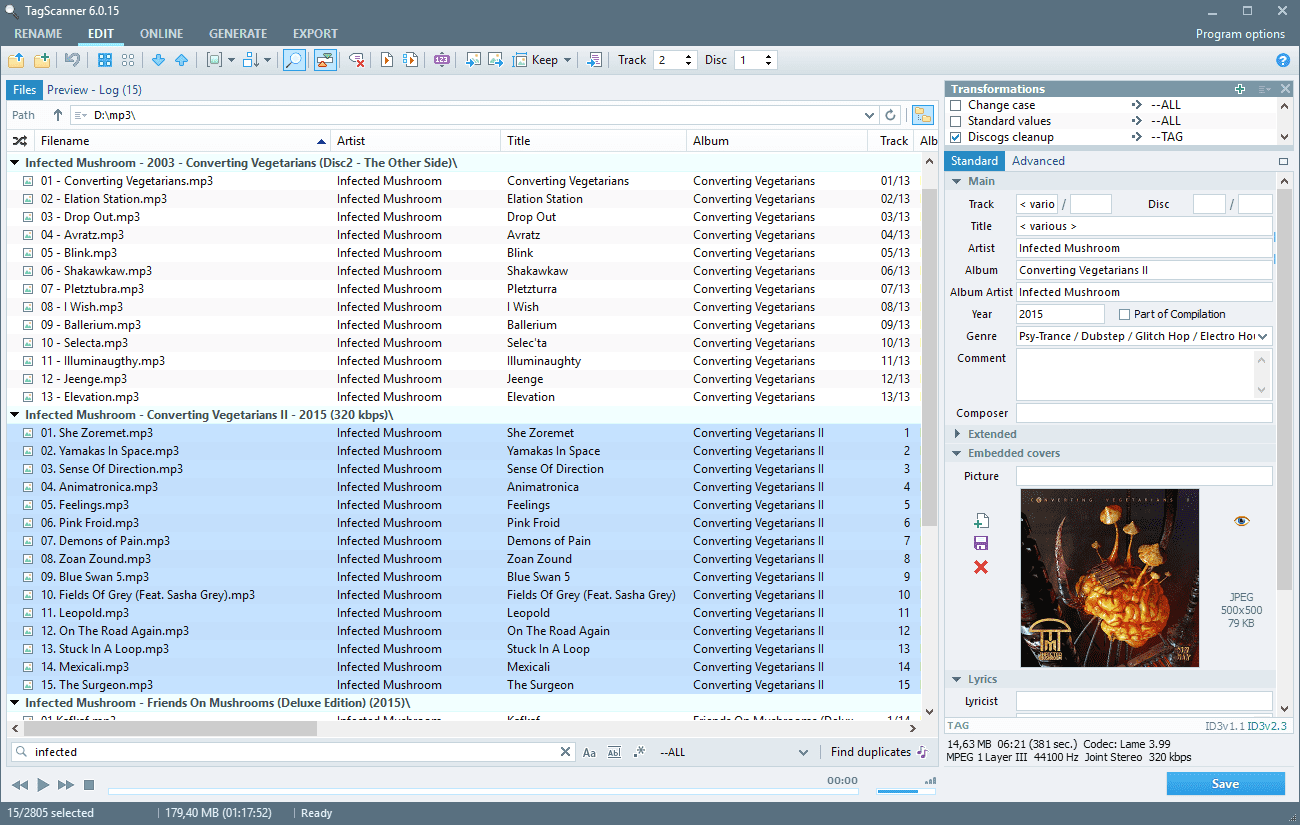
TagScanner is a powerful tool designed for organizing and managing large music collections with precision. It edits tags across most modern audio formats and supports ID3v1 and ID3v2, Vorbis comments, APEv2, WMA, and MP4 iTunes tags, giving accurate control over music metadata.
The software can rename audio files using existing tag information and import tags directly from filenames or external sources. It supports advanced text replacement and transformation rules for both tags and filenames, helping maintain a clean and consistent music library structure.
TagScanner includes a powerful batch tag editor with advanced efficiency-focused features. A built-in playlist maker exports playlists to HTML or Excel, while online database access retrieves album details and cover art from sources such as FreeDB, Amazon, Discogs, and MusicBrainz.
You can generate playlists in one click and export entire collections to HTML, Excel, or custom-defined formats. An easy-to-use multilingual interface and an integrated audio player complete the experience, making TagScanner practical for everyday music organization tasks.
TagScanner Features:
- Supports MP3, OGG, FLAC, WMA, MPEG-4, Opus, Musepack, Monkey’s Audio, AAC, OptimFROG, SPEEX, WavPack, TrueAudio, WAV, AIFF, and Direct Stream Digital files
- Supports ID3 1.0/1.1/2.2/2.3/2.4 tags, APE v1 and v2 tags, Vorbis Comments, WMA tags, and MP4 (iTunes) metadata
- Rename files based on the tag and file information
- Powerful multiple-file tag editor
- Import album information and covers from online databases like Discogs or Amazon
- Generate tag information from file and folder names
- Tag field formatting and rearrangement
- Word replacement and case conversion from tags and filenames
- Supports for embedded lyrics and cover art
- Resize cover art for portable devices on the fly
- TAGs versions conversions
- Quick playlist creation
- Export information to HTML, XML, CSV, or any user-defined format
- Full support for Unicode
- Multilanguage interface
- Built-in audio player
What’s New in TagScanner 6.1.21 (2025-05-20):
- Improved: Additional protection against file damage on error while tagging
- Improved: Copy path function now copies all unique paths from the selection
- Improved: Rename folder by TAG feature now works more predictably and saves the result into the log
- Updated support for Apple MP4 tags
- Fixed: False click on filelist after cover selection
- Fixed: Renaming of files with only case changing in some cases
- Fixed: Incorrect work of autocompletion for multi-word values
- Updated playback engine
- Translation: Italian, Portuguese (Brazil)
Official Homepage – https://www.xdlab.ru
It included translations: Belarusian, Bulgarian, Chinese Simplified, Czech, Dutch, English, Finnish, French, Galician, German, Greek, Hungarian, Italian, Japanese, Korean, Norwegian, Polish, Portuguese (Brazil), Portuguese (Iberian), Romanian, Russian, Serbian (Cyrillic), Serbian, Slovak, Spanish, Swedish, Thai, Turkish, Ukrainian.